
JFK School of Law
at National University
Accredited Juris Doctor Program
Designed for the Whole Learner
Accessible – 100% Online & Affordable | Flexible – Coursework that Balances Busy Lives | Proven -Continuously Accredited since 1981
A Juris Doctor degree from the JFK School of Law at National University prepares students to become not only forward-thinking lawyers and legal professionals but also principled and dedicated public servants. Through innovative and rigorous online study, our students are ready to serve their communities and advocate for justice. We value the flexibility that distance learning provides and understand the importance of faculty-to-student mentorship and student-to-student interaction.
We provide law students the opportunity to enroll in courses that blend both synchronous and asynchronous learning – allowing you to work toward a law degree on your time and from a place that is convenient for you. We invite you to experience the NU difference.
Juris Doctor Degree Program
Flexible & Accessible Online JD Program
The Juris Doctor degree at the JFK School of Law at National University has been continually accredited by the Committee of Bar Examiners for the State Bar of California since 1981. Our program emphasizes the practical application of theory, preparing students to successfully sit for the CA Bar Examination and enter the legal profession as highly skilled, ethical, and passionate legal experts.
We provide students with the academic support needed to succeed, including faculty mentorship, tutoring, bar coaching from the beginning of the program through preparation for the CA Bar Examination, and access to an extensive law library. All coursework is online, blending both synchronous and asynchronous sessions, while hands-on training is offered through internship and clinical programs, travel abroad opportunities, and MOOT Court and trial advocacy courses.

Service To Community
The JFK School of Law at National University is dedicated to serving local communities in the delivery of low and no-cost legal services. All law students will have the opportunity to participate in valuable and rewarding public interest internships. This work provides practical learning experiences and enriches the communities in which our students live.


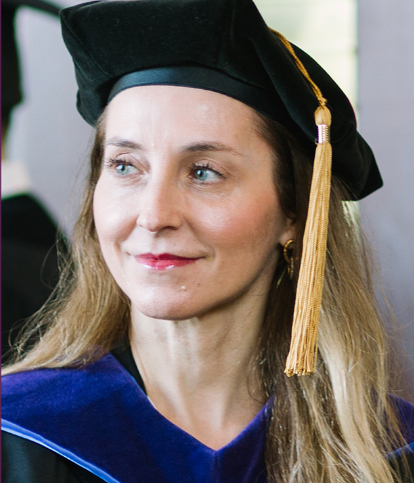
“The best investment I ever made, was in myself.”
— Nadia L., Class of 2020
Whole Human
Education

How We Support Our Students
We understand that you have work and family obligations. That’s why the JFK School of Law at National University provides a holistic approach to student success and well-being called Whole Human Education™. It offers the academic, financial, career, family, and emotional support our students need to excel professionally, personally, and academically.

Academic Pillar
Legal Writing Coaches
Comprehensive Law Library
Bar Success Support

Financial Pillar
Financial Aid Advisors
Student Emergency Grants
Millions in Scholarships

Career Pillar
Faculty Mentorship & NU Mentoring Network
Portal with Job Recommendations
Certified Law Student Opportunities

Social & Emotional Pillar
Student Wellness Resources
Care Team & Personalized Support
Free Mental Health Counseling

Family & Community Pillar
Flexible Online Courses for School-life Balance
Student Clubs and Activities
Public Service Internships

Contact Us
To speak to a dedicated enrollment advisor, please call or text 310-662-2010.
Terms & Conditions
By submitting your information to National University as my electronic signature and submitting this form by clicking the Request Info button above, I provide my express written consent to representatives of National University to contact me about educational opportunities, and to send phone calls, and/or SMS/Text Messages – using automated technology, including automatic dialing system and pre-recorded and artificial voice messages – to the phone numbers (including cellular) and e-mail address(es) I have provided. I confirm that the information provided on this form is accurate and complete. I also understand that certain degree programs may not be available in all states. Message and data rates may apply.
I understand that consent is not a condition to purchase any goods, services or property, and that I may withdraw my consent at any time by sending an email to optout@nu.edu. I understand that if I am submitting my personal data from outside of the United States, I am consenting to the transfer of my personal data to, and its storage in, the United States, and I understand that my personal data will be subject to processing in accordance with U.S. laws, unless stated otherwise in our privacy policy. Please review our privacy policy for more details or contact us at dataprotection@nu.edu.
By submitting my information, I acknowledge that I have read and reviewed the Accessibility Statement.
By submitting my information, I acknowledge that I have read and reviewed the Student Code of Conduct located in the Catalog.